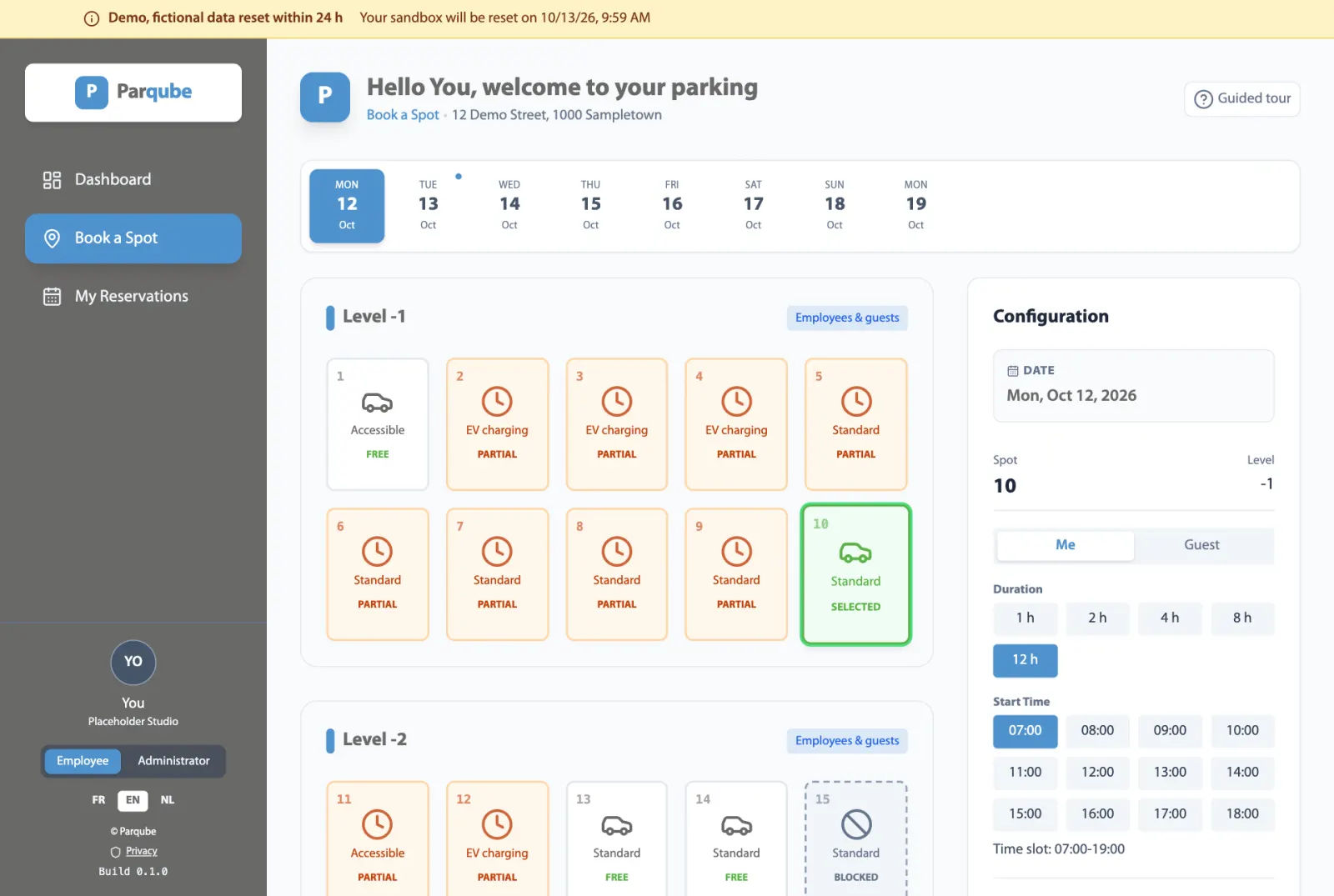
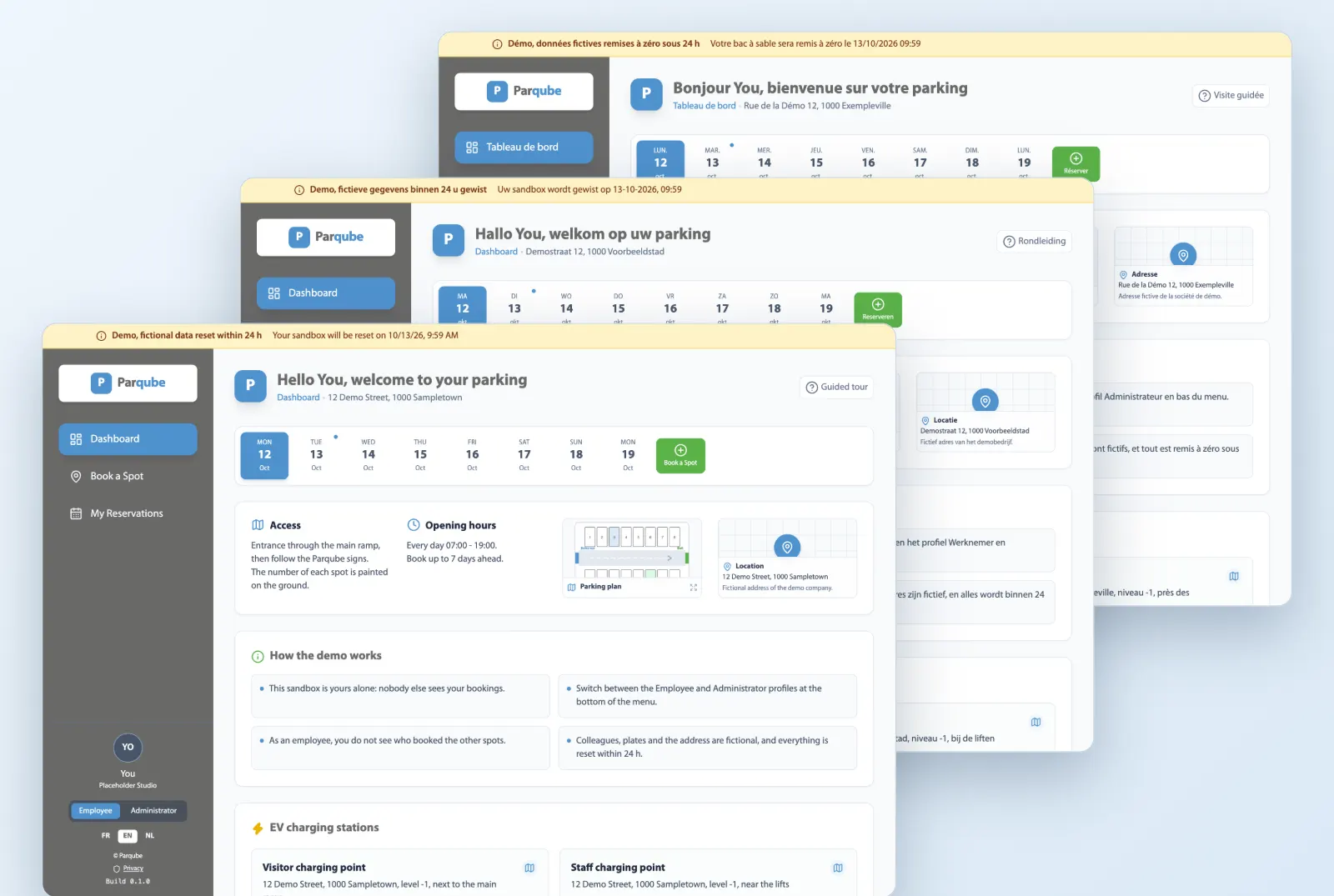
The strip of upcoming days shows where there is still room. Pick a free spot, a start time and a duration: it is booked.
Standard, compact, accessible and EV charging spots
Booking by the hour, not only by the day
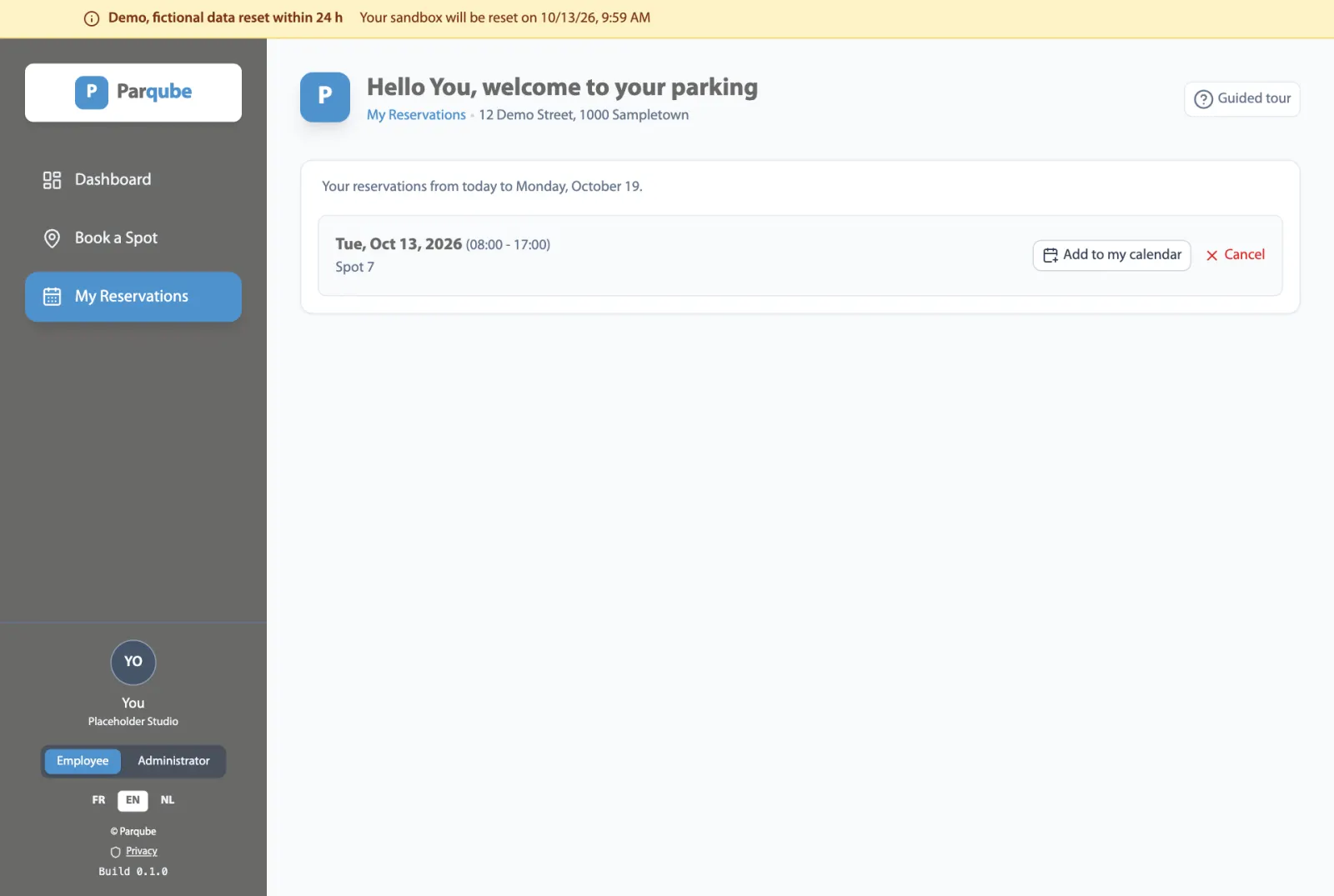
Your upcoming reservations, cancellable in one click
Screenshot of the demo, fictional data.
Visitors
A spot ready for your visitors
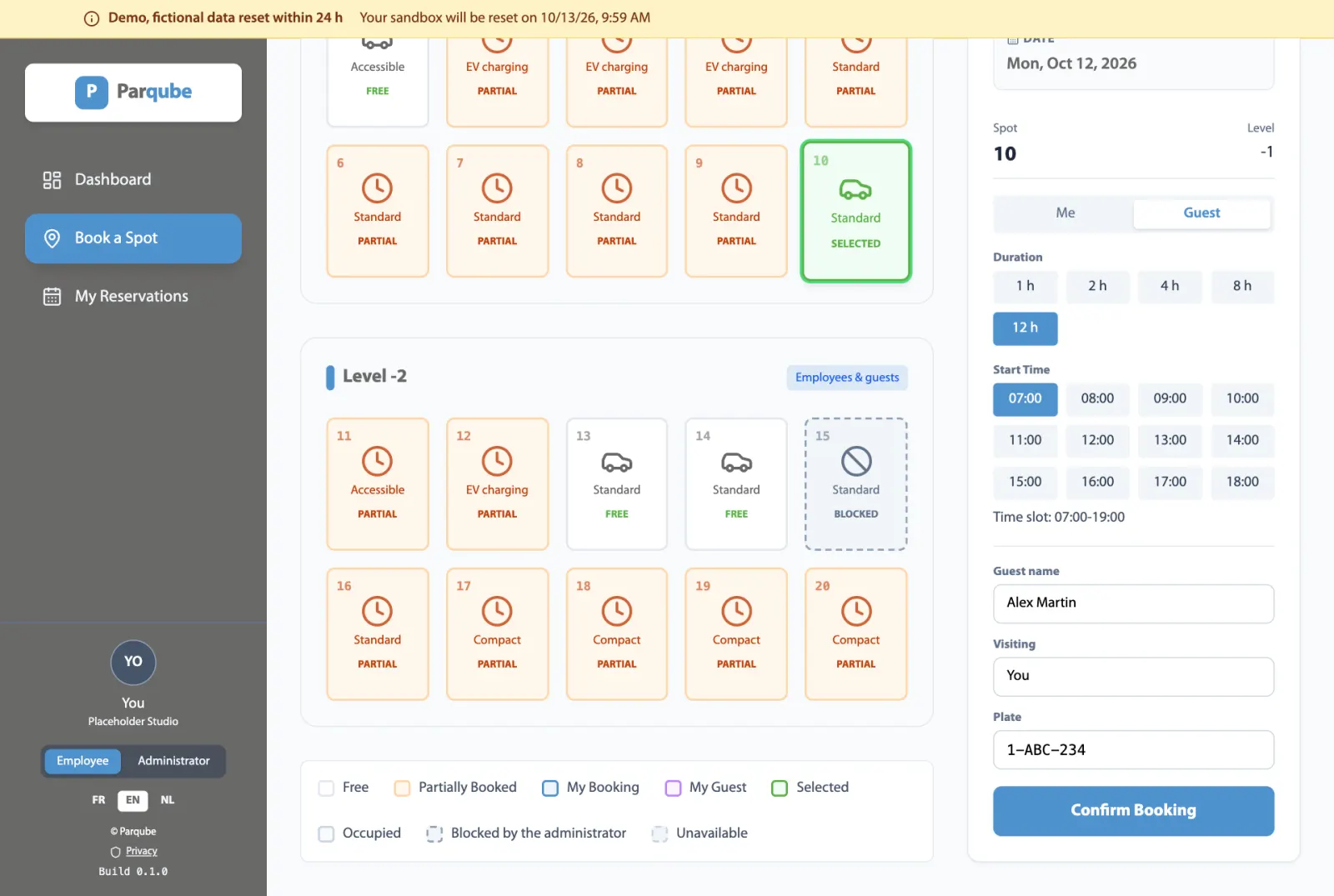
Book for a customer, a candidate or a supplier: their name, the person they are visiting and their plate. On the grid, the spot shows up as your visitor's.
For yourself or for a guest, from the same screen
Visitor name and plate visible to the manager
Dedicated "My visitor" colour on the spot grid
Screenshot of the demo, fictional data.
Calendar
In your calendar, the way you prefer
Two ways, your choice. Each reservation downloads as an .ics file, to open in Outlook, Google Calendar or Apple Calendar, with no connection to your mailbox. Or, on request, Parqube sends it automatically as a calendar invitation, from no-reply@parqube.com or from your own domain, with texts the administrator customises. The demo sends no email.
One .ics file per reservation
Works with the usual calendars
Or an automatic calendar invitation, on request
Screenshot of the demo, fictional data.
Management
Spots and blocks under control
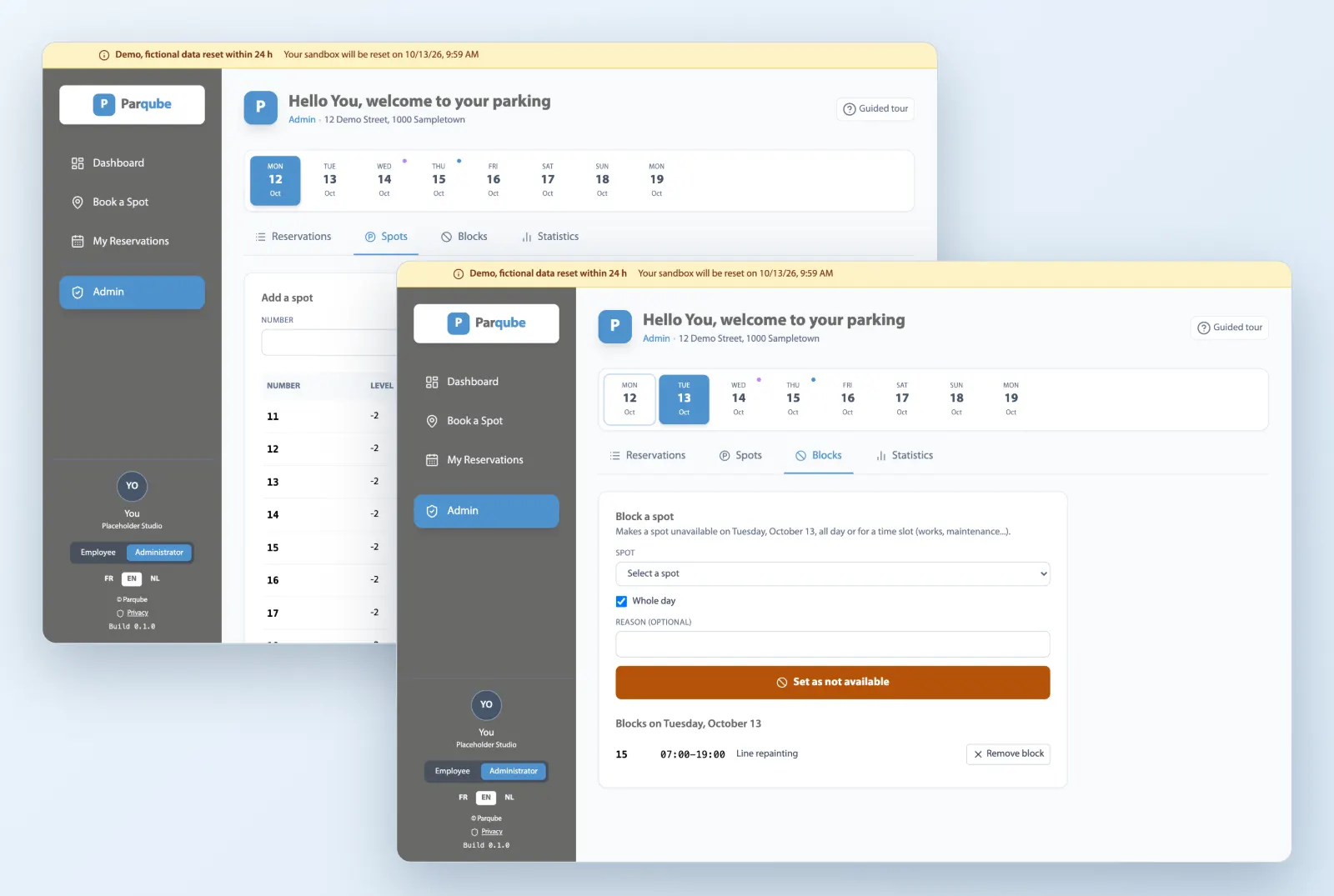
The manager adds spots by level, changes their type and deactivates the ones no longer in use. For works or maintenance, they block a spot for the day or a time slot, with a reason.
A block never overwrites an existing reservation
Every reservation, searchable by name, plate or spot
Spot type can be changed at any time
Screenshot of the demo, fictional data.
Statistics
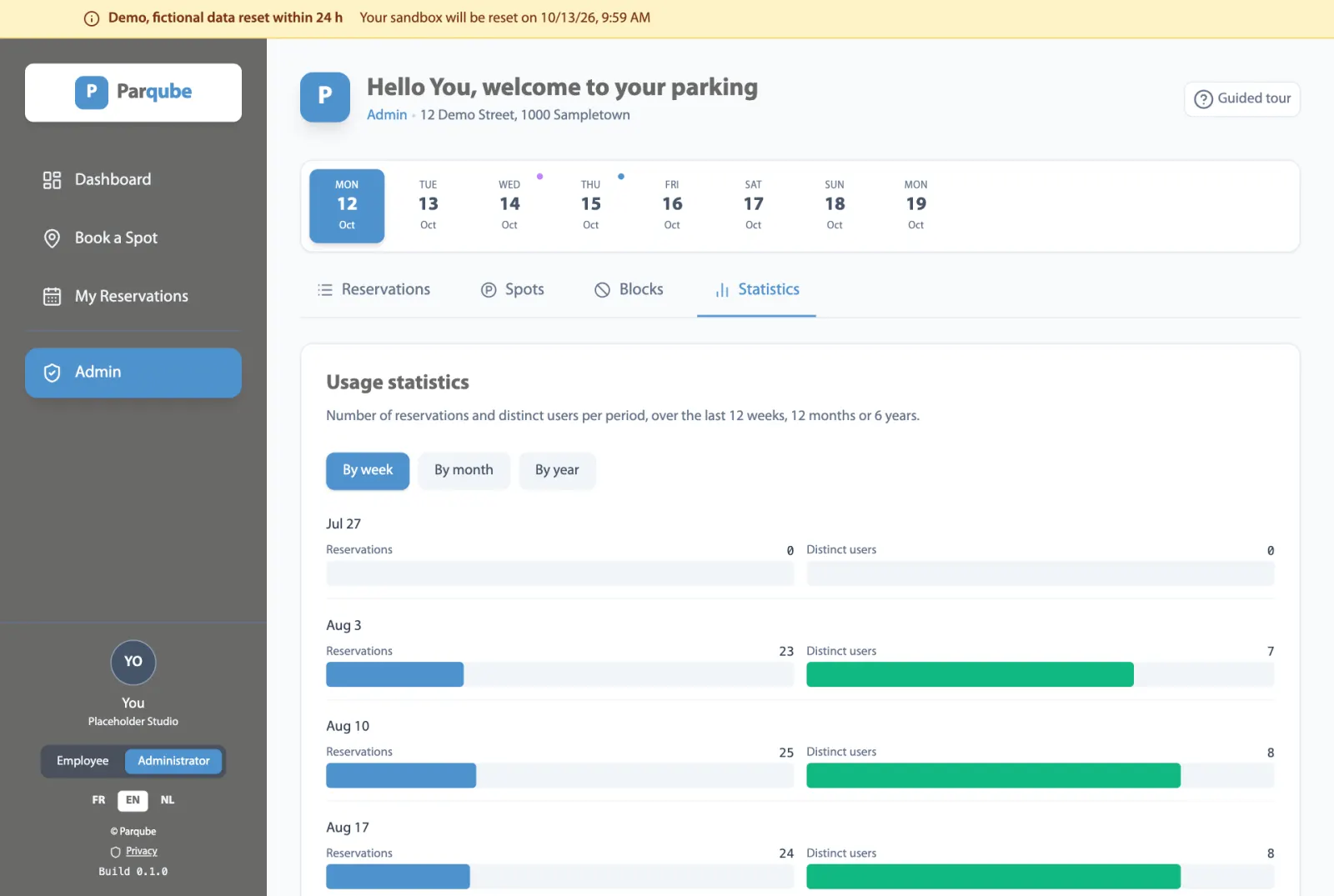
Car park usage, week after week
Number of reservations and distinct users per week, month or year: enough to size the car park and the office attendance policy on facts rather than impressions.
View by week, month or year
Reservations and distinct users
Computed on your own car park only
Screenshot of the demo, fictional data.
Privacy
Who booked stays private
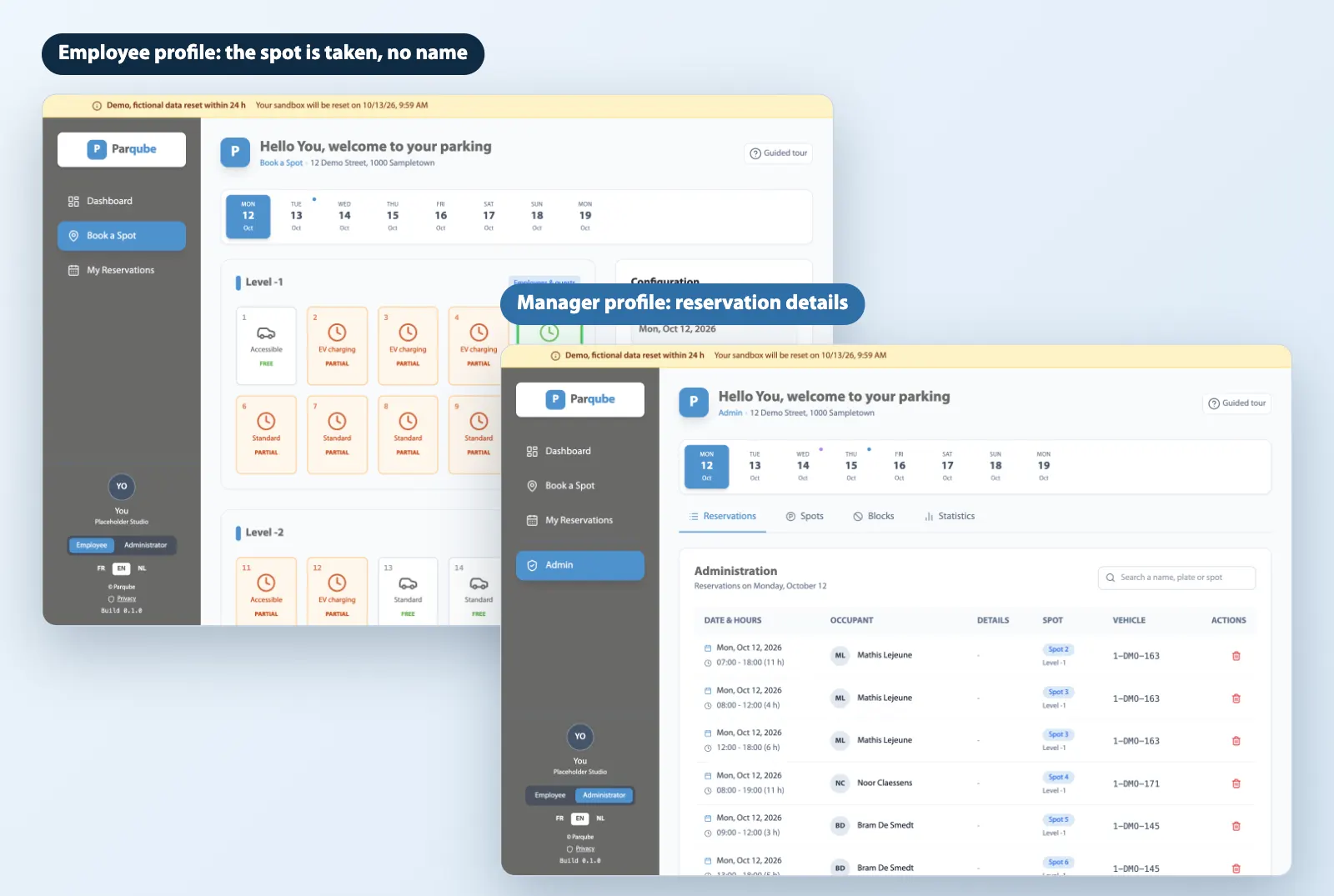
In the employee profile, a taken spot shows as occupied, with no name or plate. Only the manager profile sees reservation details. The masking happens on the server, not just on screen.
No list of which colleagues are in
Your own reservations stay complete for you
The manager keeps the full view to run the car park
Screenshot of the demo, fictional data.
Mobile
On the phone as on the computer
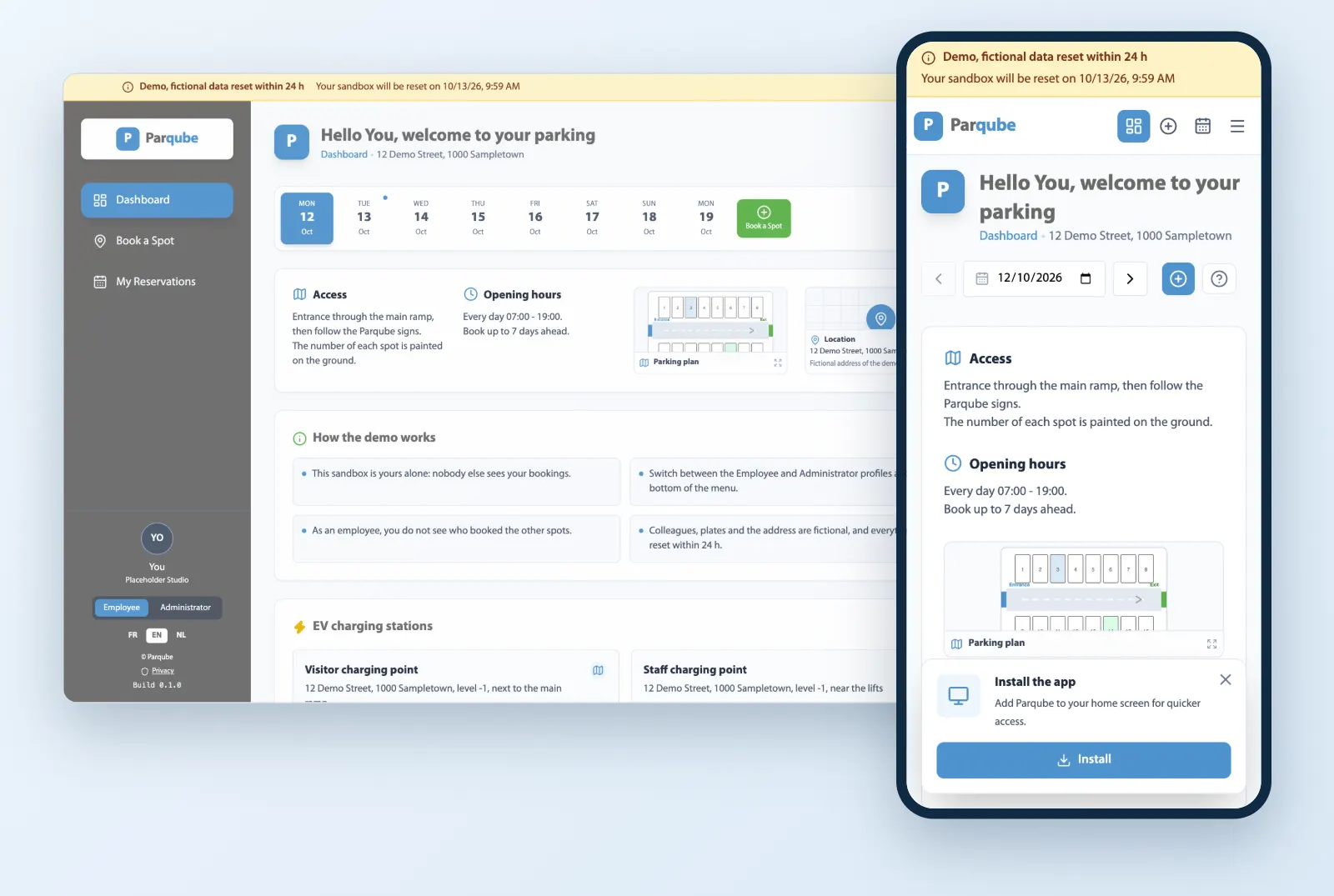
Parqube runs in the browser and installs on the home screen of a phone or computer, without going through an app store.
Interface designed for small screens
One-tap install from the browser
The same app on every device
Screenshot of the demo, fictional data.
Getting started
Up and running without training
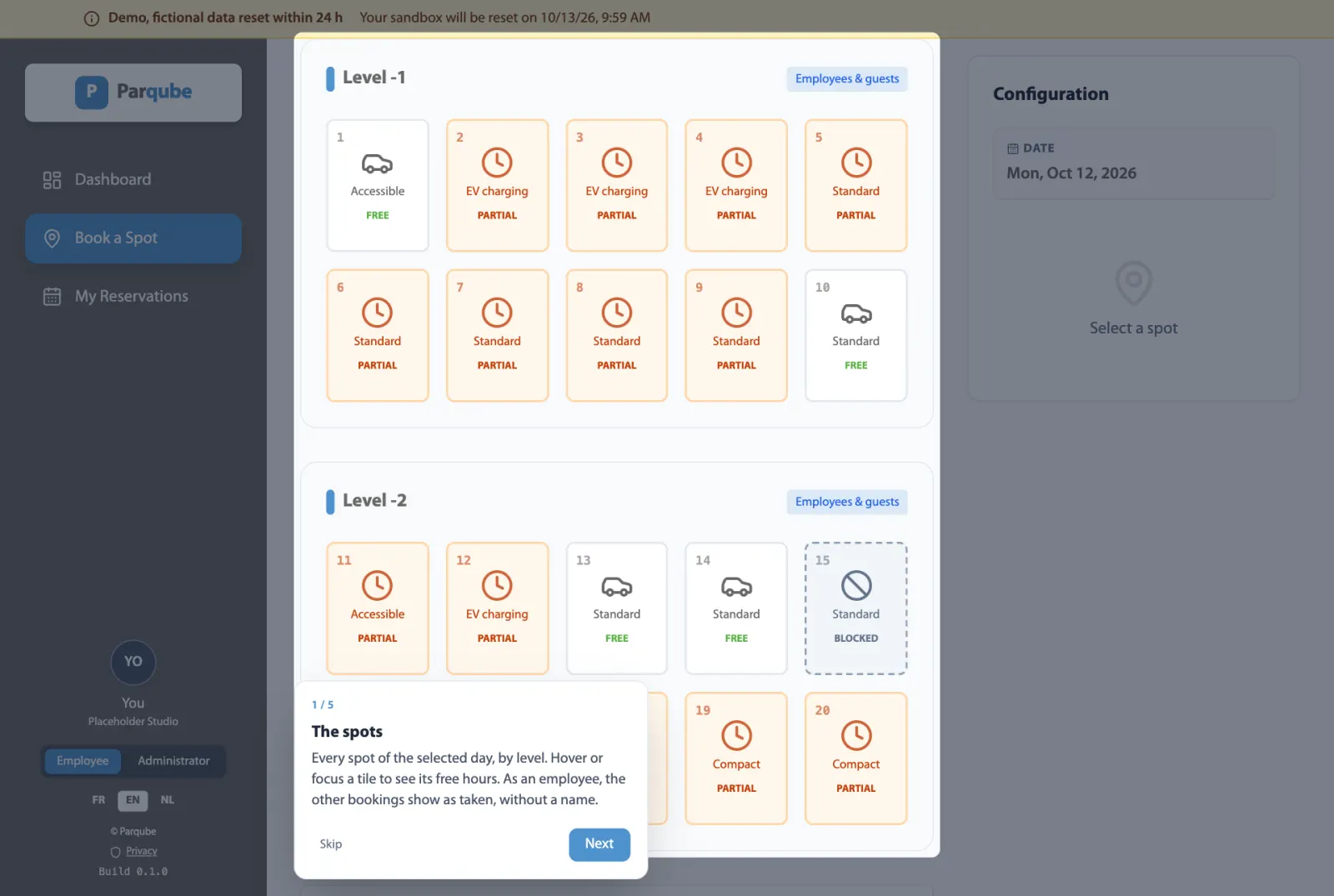
Each screen offers a short step-by-step guided tour. A newcomer discovers the spot grid and booking in a few steps, without a manual.
Tour offered the first time each screen opens
Can be replayed at any time with the Guided tour button
In French, English and Dutch
Screenshot of the demo, fictional data.
Languages
French, English, Dutch
Each user picks their language in one click; dates and times follow their conventions. Handy in Belgium, where one car park often brings the three languages together.
Switch language at any time
Local date and time formats
The demo opens in the language of this page
Screenshot of the demo, fictional data.
Everything Parqube does
The summary at a glance: what is available today, then the integrations on request.
Try it now
Your own demo car park, no account, deleted after 24 h.
Pick the day in the strip of upcoming days, then a free spot and a duration. A spot can be taken for just a few hours.
Available
Book for a visitor
Book for yourself or for a visitor, with their name and plate. The spot shows up as your guest's.
Available
Car park view by level
Each spot shows its state for the day, level by level: free, partly booked, occupied or unavailable.
Available
Spot types
Standard, compact, accessible and EV charging spots, each one clearly marked on the car park view.
Available
Add to your calendar
An .ics file per reservation, to open in Outlook, Google Calendar or Apple Calendar. No access to your mailbox is required. Sending it as a calendar invitation by email is set up on request; the demo sends no email.
Available
My reservations
Your upcoming reservations and your guests', in one place, cancellable in one click to free the spot.
Available
Recurring reservations
The same spot on several consecutive business days, up to a week, in a single booking. If one day is already taken, nothing is booked and the conflicting dates are shown.
Available
Waiting list
Fully booked day? Join the waiting list of a site for a time slot. When a spot frees up, the first in line is told in the app and has 30 minutes to book it before the next person is told. The spot is not held meanwhile: another employee may book it first.
Available
Spot management
Add spots by level, change their type, deactivate the ones that are no longer available.
Available
Blocking for works or maintenance
Make a spot unavailable for a day or a time slot, with a reason. A block can never overwrite an existing reservation.
Available
Every reservation
The manager sees every reservation, with occupant and vehicle, and finds a line by name, plate or spot number.
Available
Usage statistics
Number of reservations and distinct users per week, month or year, to size the car park on facts.
Available
Export of your data
The administrator downloads sites, spots, blocks, reservations, waiting lists, members and email settings as a single JSON document, or as one Excel-ready CSV file per entity, to archive them or switch tools.
Available
Automatic, customisable emails
Booking confirmation, visitor invitation and cancellation are prepared as calendar invitations, with the .ics file, an alarm and the site address. Texts are customised in the administration, in French, English and Dutch, with a preview. Sending by email is activated on request, by Parqube, from your own domain or through your mailing tool. In the demo no email is sent: each invitation can be viewed in the administration.
Available
Multiple sites
Several car parks or buildings in a single account, each with its own spots, address and access instructions. A selector switches between sites, and invitations carry the right site's address.
Available
Occupancy reports
The manager views occupancy over a week, a month or a period of their choice, for all sites or one, and downloads it as an Excel-ready CSV or as a printable version to save as PDF. Reports sent automatically by email will come later.
Available
Your day at a glance
The dashboard shows today's spot and the booking hours of the car park.
Available
French, English, Dutch
Each user picks their language. Dates and times follow their local conventions.
Available
Installable app
Parqube installs on the home screen of a phone or computer, without going through an app store.
Available
Built-in guided tour
Each screen offers a short step-by-step tour: a newcomer gets started without training.
Available
Who booked stays private
An employee sees that a spot is taken, not by whom. Only the manager profile sees reservation details.
Available
Data isolated per customer
Each organisation's data is partitioned in the database itself, on top of the application's checks.
Available
Hosted in the European Union
Microsoft Azure, West Europe region. No advertising cookies, no third-party trackers.
Available
Try it without an account
The demo opens a prefilled car park just for you, with no account or password, deleted automatically after 24 h.
Available
Integrations on request
These integrations exist and are set up for your environment, at your request. They cannot be tried in the public demo: let's talk about it.
On request
Directory and single sign-on
Integration set up for your environment, on request: sign-in with the company account (Microsoft Entra ID, SSO), user synchronisation or import.
On request
Charging point consumption
Integration set up for your environment, on request: Parqube reads the consumption of your charging points through their API and attaches it to each reservation, to recharge or track costs.
On request
Access info, plan and chargers of your site
Configured for your site, on request: the access details, the car park plan and the charging points with their connectors, shown on the dashboard.
On request
Plate recognition and barrier
Integration set up for your environment, on request: the barrier opens for vehicles that hold a reservation, by reading the plate.
On request
Automatic release
Integration set up for your environment, on request: the spot of an absent holder goes back to the pool, based on the absences known to your tools (calendar, HR).
On request
Priority rules
Integration set up for your environment, on request: accessible spots and charging points stay reserved for the people who need them, following your company's rules.
On request
Teams and Outlook integration
Integration set up for your environment, on request: book a spot and get reminders without leaving Microsoft 365, in Teams and Outlook.
On request
Public API, webhooks and connectors
Integration set up for your environment, on request: Parqube connects to your company systems (HR, access control, facility, mailing) through an API, webhooks or connectors, and notifies them of every reservation.
Set up for each customer, outside the price list: on quote.
The easiest way to judge: try it
A prefilled car park just for you, with no account and no credit card. Fictional data, deleted after 24 h.